New possibilities with Microsoft Teams



The app was already integrated into the Microsoft 365 portfolio in 2017, with the promise of significantly changing the future way we collaborate and communicate, whether with colleagues or at work. However, project teams within the company itself as well as employees who collaborate with external parties also benefit from this. Now Microsoft has introduced further future-oriented changes for Teams. Hybrid working is becoming increasingly common in Swiss SMEs, and Microsoft Teams plays an increasingly central role in this. Therefore, it is more important than ever for managers to establish teams as a collaboration hub within the Microsoft 365 universe, as the foundation for professional and efficient collaboration within an organization as well as with external parties.
Thank you for reading this post, don't forget to subscribe!
More and more companies are again relaxing the home office requirement and offering employees more freedom in choosing and designing their workplaces. Right now, Microsoft is pushing forward with ever-newer, effective solutions around teams. Especially the updates in June 2021 are impressive and offer a wide range of innovations especially in the area of webinars. For example, MS Teams has launched the dynamic view. This solution automatically adjusts the elements in a meeting environment to provide a better visual experience. When webinar participants turn on their cameras, join a meeting, or start speaking, Teams automatically adapts accordingly.
Source: microsoft.com
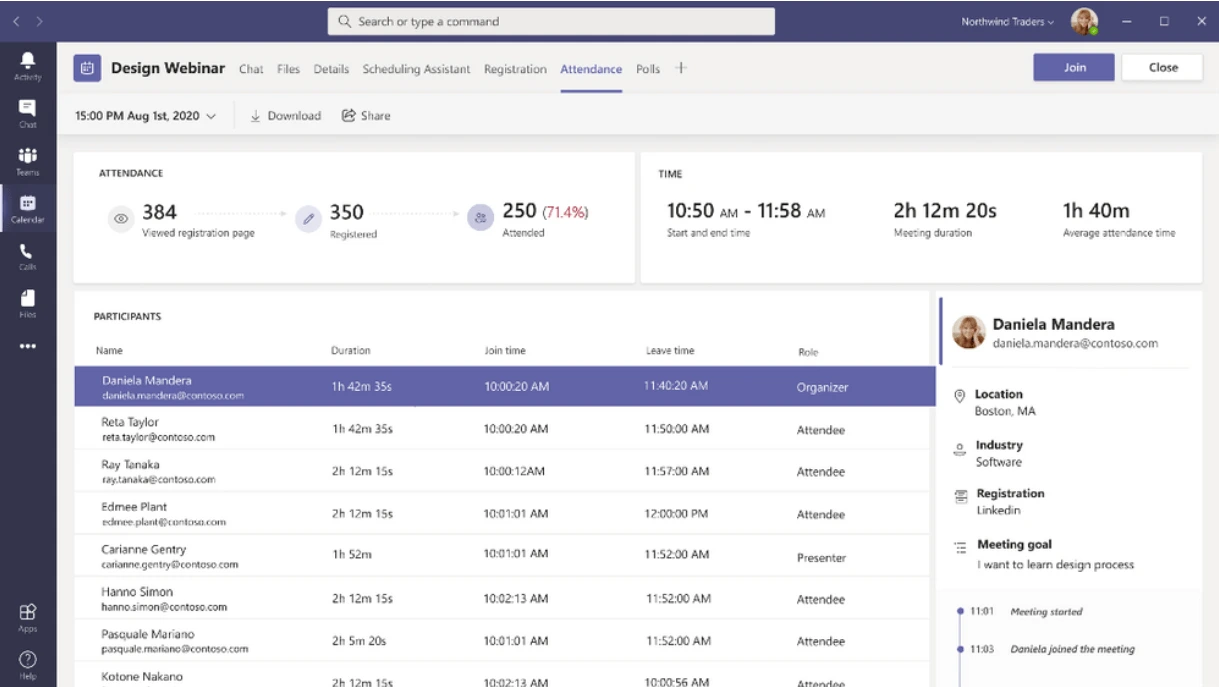
Anyone planning a complex webinar can now create a custom registration in the future. By adding attendee registration pages to webinars and meetings, participants can now be managed even before the event begins. Users can also add custom images and questions to learn more about the participants. After registration, participants receive a confirmation email with a calendar invitation. Meeting organizers with the so-called Presenter Mode can now immediately share selected content and videos for the webinar participants with a range of professional layouts. For example, «Standout»: this first layout option displays the speaker video as a silhouette that appears in front of the shared content. This allows users to direct people with gestures to information points.